
Are you looking to buy an FDM 3D printer?
You are sure to find the right device for you in our wide range of filament 3D printers. FDM printers process plastic filaments wound onto a spool by melting them through a hotend and printing them layer by layer onto a printing platform. Due to their good material compatibility and user-friendly application, FDM printers are among the most popular 3D printers on the market.
Entry-level FDM 3D printers under €300! | Mid-range FDM 3D printers under 500 €! | Upper-range FDM 3D printers under 1000 €!
FDM Printers: 1 - 30 of 54 items
-
-
-
-
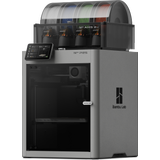
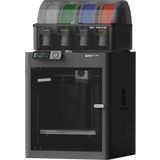
Bambu Lab P2S Combo
- P2S FDM 3D printer
- AMS 2 Pro Multi-Material System
- Build volume: 256 x 256 x 256 mm
-
-
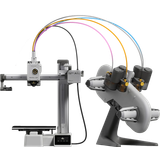
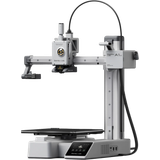
Bambu Lab A1 Mini Combo
- Bambu Lab A1 mini 3D printer
- Bambu Lab AMS Lite material system
- Seamless integration
-
-
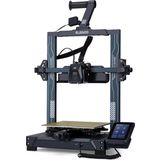
Elegoo Neptune 4
- ARM 64-bit high-performance mainboard
- Dual Gear Direct Drive Extruder
- Powerful cooling system
-
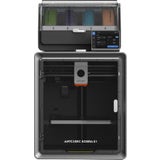
Anycubic Kobra S1 Combo
- Build volume of 250 x 250 x 250 mm
- Intelligent filament management
- Intelligent AI-supported monitoring
-
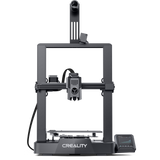
Creality Ender 3 V3 KE
- Build volume 220 x 220 x 240 mm
- Max. printing speed 500 mm/s
- Optimised “Sprite” direct drive extruder
-
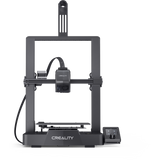
Creality Ender 3 V3 SE
- Build volume 220 x 220 x 250 mm
- T-shaped profiles
- Rigid axles & robust linear rails
-
-
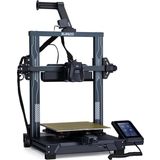
Elegoo Neptune 4 Pro
- ARM 64-bit high-performance mainboard
- Dual Gear Direct Drive Extruder
- Powerful cooling system
-
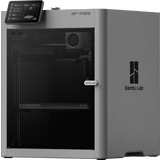
Bambu Lab P2S
- Build volume: 256 x 256 x 256 mm
- PMSM servo extruder with 8.5 kg extrusion force
- Adaptive airflow system for variable cooling
-
-
-
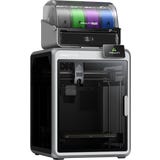
Creality K2 Combo
- Multi-colour printing with up to 16 colours
- Build volume: 260 x 260 x 260 mm
- Up to 600 mm/s print speed
-
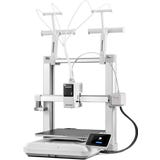
Anycubic Kobra X
- Build volume: 260 x 260 x 260 mm
- 4-colour printing, can be expanded to 19 colours
- Print speed up to max. 600 mm/s
-
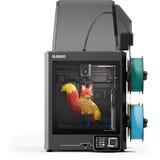
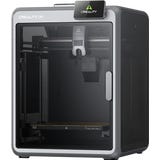
Elegoo Centauri Carbon 2 Combo
- Multicolour printing
- 350°C high-temp nozzle
- Smart build chamber temperature control
-
-
-
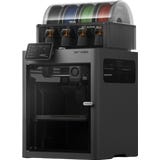
Bambu Lab X2D Combo
- Build volume: 256 x 256 x 260 mm
- Dual-Nozzle Extrusion System
- Mechanical Dual-Nozzle-Switching
-
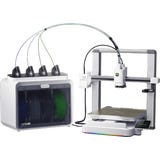
Creality SPARKX i7 Combo
- Build volume: 260 x 260 x 255 mm
- Multicolour printing up to 4 colours
- Automated colour change
-
-
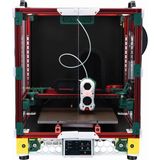
LDO Motors Voron 2.4 350 RevD Kit, Black
- Black
- Space Grey
- Blue
- Build volume: 350 x 350 x 350 mm
- Incl. detailed instructions in English
- High-quality components
-
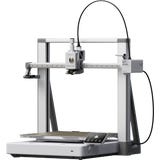
Bambu Lab A2L
- Build volume: 330 x 320 x 325 mm
- 3D printer, cutting plotter & drawing device
- Adaptive Vibration Compensation & Granular Damper
-
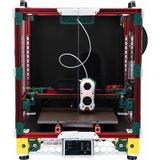
LDO Motors Voron 2.4 300 RevD Kit, Black
- Black
- Space Grey
- Blue
- Red
- Build volume: 300 x 300 x 300 mm
- Incl. detailed instructions in English
- High-quality components
-
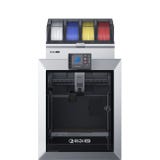
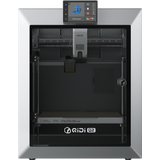
QIDI Tech Q2 Combo
- FDM printer Q2 + multicolour unit Qidi Box
- Build volume: 270 x 270 x 256 mm
- Actively heated printing chamber
-
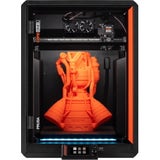
Prusa CORE One L
- Build volume: 300 x 300 x 330 mm
- AC convection heating bed
- Active chamber heating up to 60°C
-
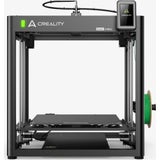
Creality Ender 5 Max
- 400 x 400 x 400 mm build volume
- Up to 700 mm/s print speed
- Robust & stable construction
What is an FDM 3D Printer?
Fused Deposition Modelling (FDM) is a 3D printing technology that builds three-dimensional objects by applying molten filament layer by layer. It is the most widely used 3D printing method, favoured for being cost-effective and versatile for both beginners and advanced makers.
How does an FDM printer work?
FDM printing follows an additive, layer-by-layer process. Plastic filament is heated and precisely deposited to create a 3D object.
To start, filament is fed from a spool into the extruder, where it is heated to its melting point. The nozzle then moves along pre-calculated paths, depositing the molten material onto the print bed. Each new layer fuses with the one below it. Depending on the machine’s design, either the print bed or the print head moves along different axes, allowing the object to grow vertically. Once a layer cools and solidifies, the next is applied until the model is complete.
Choosing the Right FDM Printer for Beginners
The ideal entry-level printer depends largely on your specific requirements and intended projects. Your choice will be guided by the features you value most and your available budget.
To help you navigate the options, we have curated structured guides for various price points. These provide a clear breakdown based on budget, features, and experience level:
- Entry-level: FDM 3D printers under €300
- Mid-range: FDM 3D printers under €500
- Upper-range: FDM 3D printers under €1,000
Scale and Build Volume
The maximum size an FDM printer can produce is determined by its build volume (the maximum width, depth, and height of the printable area). These dimensions vary significantly between models; you can always find these specifics under the "Technical Specifications" section of our products.
Compact printers: Ideal for smaller models, replacement parts, or prototypes.
Large-format printers: Allow for substantial or tall components to be printed in a single piece—a major advantage for functional parts and large-scale projects.
Pro Tip: If a model exceeds your printer's build volume, it can often be split into multiple parts, printed separately, and then assembled.
Setting Up Your First 3D Printer
Getting your first 3D printer is an exciting milestone—and you don't need to be a technical expert to get started. Most modern FDM printers arrive 95% pre-assembled. In most cases, it is simply a matter of unboxing, checking a few settings, and you’re ready to go.
Top Tips for Success:
- Stability is Key: Place your printer on a firm, level surface and double-check that all screws, cables, and moving parts are secure. Next, level the bed. This is the most critical step for a clean print. Whether your machine uses manual or automatic levelling, the process is straightforward and easy to master.
- Use Tutorials: Manufacturer videos and step-by-step online guides are "game-changers." They offer peace of mind and help you avoid common pitfalls.
- The First Layer: Once your filament is loaded and your slicer is configured, keep a close eye on the first layer. If it adheres well to the bed, you’re on the right track.
For those who want to understand their machine inside out, we also offer self-build kits. These are designed for "makers" and tinkerers who want total control and a deeper understanding of the printing process.
Enclosed vs. Open-Frame Printers
Whether an enclosed or open-frame FDM printer is the right choice for you depends largely on your intended use, the materials you plan to print with, and your personal preferences. Both configurations offer distinct advantages.
►Enclosed FDM Printers: These provide a controlled environment with stable temperatures, which is vital for materials sensitive to warping. An enclosure also shields the print from drafts and reduces noise and odours.
►Open-Frame FDM Printers: These offer easier access and a smaller footprint. They are excellent for common materials like PLA and are generally more user-friendly for everyday hobbyist tasks.
Is Multi-Colour Printing Possible with an FDM Printer?
One approach is the use of FDM printers equipped with dual or multiple extruders. These allow different colours or materials to be printed simultaneously, making them ideal for complex models with distinct colour sections. While this setup offers significant versatility, it does require specialised, well-calibrated hardware to perform effectively.
Another option is the use of multi-material or automated colour-change systems, which automatically swap the filament during the printing process. This allows for multi-colour prints using a single extruder, eliminating the need for manual intervention.
Alternatively, you can perform manual colour changes by pausing the print at pre-defined layers to swap the filament. This method is best suited for simple colour layering and serves as a highly cost-effective entry point into multi-colour printing.
How Does Automated Multi-Colour Printing Work?
For automated multi-colour printing, FDM printers often utilise multi-material systems such as an MMU (Multi-Material Unit) or AMS (Automatic Material System). These units allow several filaments to be loaded simultaneously, with the system automatically switching between them during the print.
Usually an add-on to the printer, an MMU or AMS manages the filament feed. Depending on the specific system, you can load multiple colours or materials which the printer then swaps autonomously based on the print job. This enables the creation of multi-coloured models, gradients, or even complex combinations of different materials—all without any manual intervention.
The colour changes are configured in the slicer software, where you define exactly where each filament should be used. During operation, the system retracts the current filament and feeds in the next one. This makes multi-colour printing significantly more convenient and ensures highly repeatable results.
AMS and MMU systems are ideal for users who print in colour frequently or who prioritise an automated workflow. Furthermore, the process remains streamlined as the printer continues to operate with a single extruder.
Advantages and Disadvantages of FDM Printers
FDM is the most widely adopted 3D printing technology. While it offers numerous benefits, like any technology, it has its limitations.
Advantages:
- Suitable for everything from hobbyist projects to functional engineering components.
- Compatible with a vast range of filaments in diverse materials, colours, and properties.
- Many models are straightforward to set up, maintain, and operate.
- Available at various price points, making the technology accessible to a broad audience.
- FDM printers often feature a larger build volume than other technologies, allowing for the production of substantial parts.
Disadvantages:
- Compared to other methods, level of detail is more limited, and layer lines may be visible depending on the settings.
- Print quality is heavily dependent on calibration, filament quality, and ambient environmental conditions.
- Certain materials or intricate models may require additional troubleshooting and adjustment to achieve perfect results.
Despite these limitations, FDM printers remain a top choice due to their practicality and everyday utility. Their flexibility makes them equally attractive to beginners and seasoned makers alike.
FDM vs. SLA: Key Differences
The primary distinction between FDM and SLA lies in the underlying technology and the intended application.
►FDM (Filament): Works by heating and extruding plastic layer by layer. It is versatile, easy to handle, and perfect for functional parts and larger objects. With its wide material selection, it is often the preferred starting point for beginners.
►SLA (Resin): Uses liquid resin that is cured by light (UV). This allows for exceptional detail and smooth surface finishes. While SLA is ideal for intricate, small-scale models, it requires more intensive post-processing and careful handling of materials.
Discover popular categories
Magazine Articles:
Discover 3DJake:
-
Great Britain: Free standard delivery from £69.90
-
Free
returns More than 11.050 products
We deliver worldwide to
more than 40 countries
