
Anycubic ACE Pro, Kobra S1
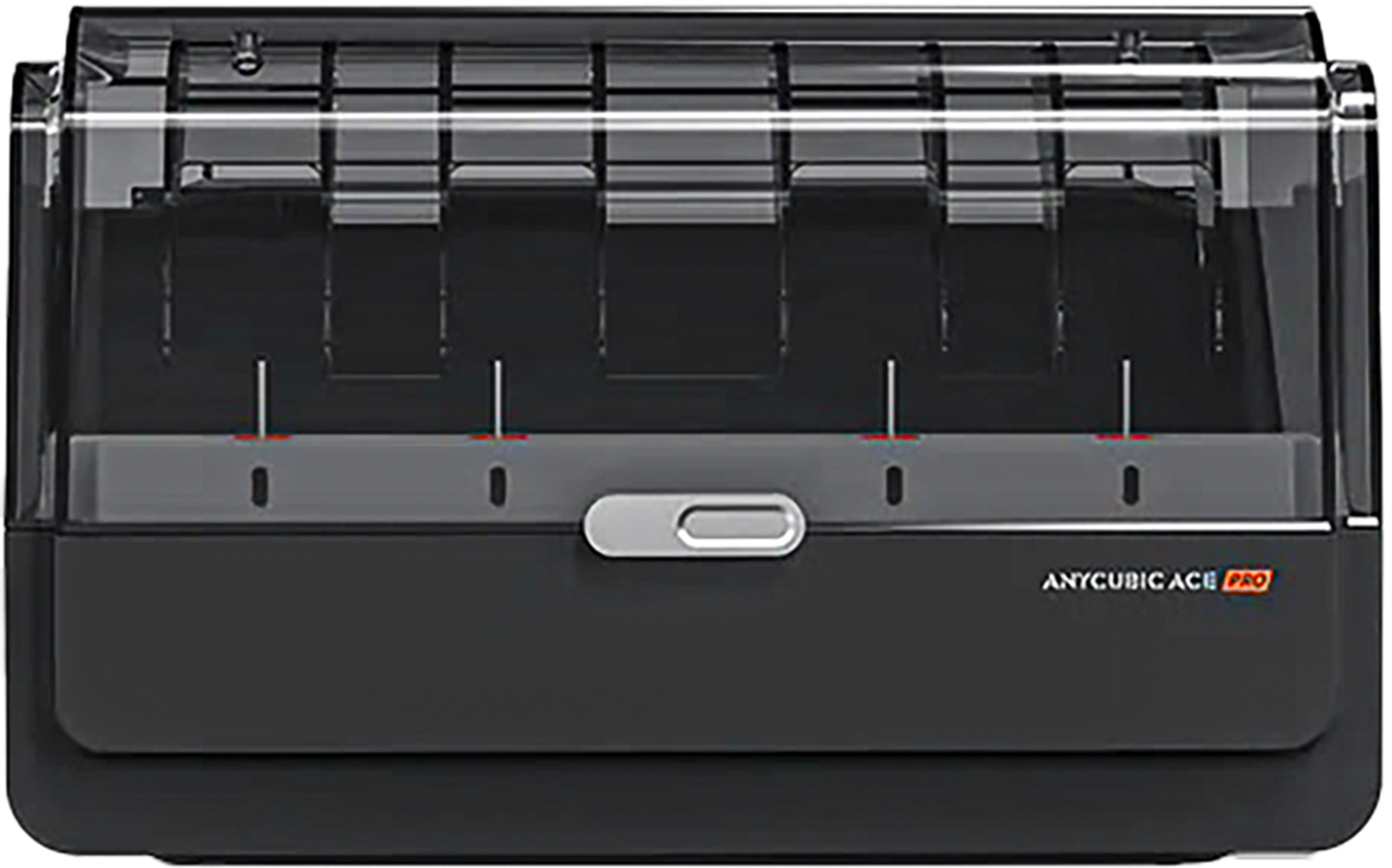
Multicolour material system for multi-colour printing
£233.65 £271.00 -14%
(Price shown includes 20% VAT.
- For drying & storage
- Four spool slots
- Eight-colour printing possible
- Anti-tangle protection
- RFID detection
Similar products

Product information & technical details
- Item no.: ANY-DSHZBK0C-O
- Content: 1 pc
- EAN: 6974662351081
- Manufacturer No.: DSHZBK0C-O
- Manufacturer: Anycubic
- Product type: Multi-Material Upgrades, Filament storage
- Compatible with 3D Printers : Anycubic Kobra 3, Anycubic Kobra S1, Anycubic Kobra 3 Max
Description
Print multiple materials at the same time and complex models in varied colour combinations, while saving both time and resources with the Anycubic Color Engine Pro (ACE Pro.
► Compatible filament spools:
- Spool diameter 195–200 mm,
- Spool width 60–68 mm.
Print with 4 to 8 colours at the same time
With 4 available spool slots, the automatic multicolour material system can hold up to 4 different colours at once, providing reliable support for multicolour printing. With an additional ACE system, 8-colour printing with an even wider colour palette is also possible.
How does multicolour printing work with Color Engine Pro?
During printing, the selected colours are switched automatically according to the slicer settings, and the required filament is fed to the printer as needed. It really is that simple.
Active drying for more reliable printing
ACE Pro uses dual 200 W PTC heating elements for active, even filament drying during the printing process. The heating module is supported by two powerful fans that ensure hot air circulation. Tip: The internal temperature can be set up to 55 °C at optimal humidity.
Drying during printing or filament storage
The drying function can be used throughout the entire print process to keep filament dry and ready for use. Thanks to the Sealed Space Design, the Color Engine Pro can also be used for safe, careful filament storage.
Anti-tangle design
The Anycubic Color Engine Pro is connected to the extruder in parallel via four output tubes. As each filament slot has its own dedicated output path, the entire length of filament in the tube does not need to be rewound back onto the spool during a colour change. Only the section fed back into the extruder’s internal chamber is retracted. This reduces the risk of spool tangles and helps prevent the material from running out at the wrong moment.
An active rewind function allows the unit to retract filament during colour changes. The combination of parallel filament paths and active rewinding supports the anti-tangle function.
Smart features:
► Clog detection: A smart mechanical buffer structure detects clogs in good time and pauses the print accordingly.
► Automatic refill with two consecutive spools of the same colour filament: Once the first spool is used up, printing automatically continues with the second spool of the same filament colour.
► Intelligent colour switching: A dedicated algorithm calculates the colour category of the printed model layer by layer. Adjacent layers are printed continuously in the same colour, reducing material changes and filament waste. This also noticeably reduces the overall print time of a model.
► RFID Sync: Anycubic’s own filament spools equipped with an RFID chip are automatically recognised by the ACE in terms of colour and material type.
► Main differences between Anycubic ACE Pro (first generation) & ACE 2 Pro (second generation):
| ACE Pro | ACE 2 Pro | |
|---|---|---|
| Max. drying temperature | 55 °C | 65 °C (drying during printing possible) |
| Temperature & humidity detection | temperature only | dual temperature and humidity detection, viewable on the display and in the app |
| Humidity management | vent outlet only, no sealed chamber | electromagnetic valve + sealed chamber; moisture isolation after drying |
| Drive motors | 2 brushless motors with passive idler rollers | 4 independent brushless motors, individual drive per channel |
| Filament usage detection | not supported | supported |
| Automatic filament retraction | not supported | automatic retraction, triggered via the display UI |
| Feed inlet design | standard plastic inlet | wear-resistant ceramic ring, compatible with carbon fibre-reinforced filaments |
| External PTFE tube support | not supported | supported |
| Total power | 230 W | max. 330 W (220 V) |
| Weight | 4.6 kg | 3.7 kg |
| Hardware compatibility | both generations cannot be connected to one printer at the same time | |
Legal guarantee & manufacturer details

More information: https://europa.eu/youreurope/guarantees
Related products
Questions & Answers about Anycubic ACE Pro
-
How do i connect 2 Ace pro ? Do i need any extra accessory ? Thanks (in case i buy to printer with ace or one printer and one extra ace pro)
-
Can this be used to handle 4 different types of filament? ie: loaded with 1 PLA, 1 TPU, 1 ABS, 1 LW-PLA. These are the filaments I use on a regular basis.
-
Can cardboard spools be used?
-
is this printer (and printer brand) agnostic? can I use it on a printer from Creality, or only one from AnyCubic like Bambu's?
Customer Reviews
0 English reviews written for Anycubic ACE Pro
2 customer reviews in all languages
| 5 stars | | 4 | (66%) |
|---|---|---|---|
| 4 stars | | 2 | (33%) |
| 3 stars | | 0 | (0%) |
| 2 stars | | 0 | (0%) |
| 1 Stars | | 0 | (0%) |
6 reviews
We do not have any reviews in English yet, but we do have 2 reviews available in other languages.
- No reviews available
Popular categories:
Discover 3DJake:
-
Great Britain: Free standard delivery from £69.90
-
Free
returns More than 11.350 products
We deliver worldwide to
more than 40 countries

Hi, i think your question is how to retract completely off the ace pro. If the White LED in front of the acepro is blinking, do NOT do anything, the motor is engaged and you could damage it.
It the LED is white and steady, you will have to pull back by hand the filament. The unload command in the Machine, just retract the filament back the "filament switch" on the machine side.